Updating a forked Git repo
A while ago, I forked the ActiveAndroid repository to add some of my own changes to the ORM framework. Today I wanted to use the library again, use the new changes that the original maintainer has implemented, and also use my own changes. It turned out to be easier than I thought, despite there being 112 commits between the original repo and my forked version. Here’s what I did
$ git remote add upstream [email protected]:pardom/ActiveAndroid.git
Then to fetch the updates
$ git fetch upstream
From github.com:pardom/ActiveAndroid
 * [new branch]      gh-pages   -> upstream/gh-pages
 * [new branch]      master     -> upstream/master
The next part is a matter of preference. You can either merge the changes
$ git checkout master
$ git merge upstream/master
Or rebase the changes onto the local master branch
$ git checkout master
$ git rebase upstream/master
I prefer to rebase because it makes for a cleaner history. Merging will make one giant commit with all the changes from the upstream branch in addition to having all the commits from the upstream in your history. It’s a bit redundant
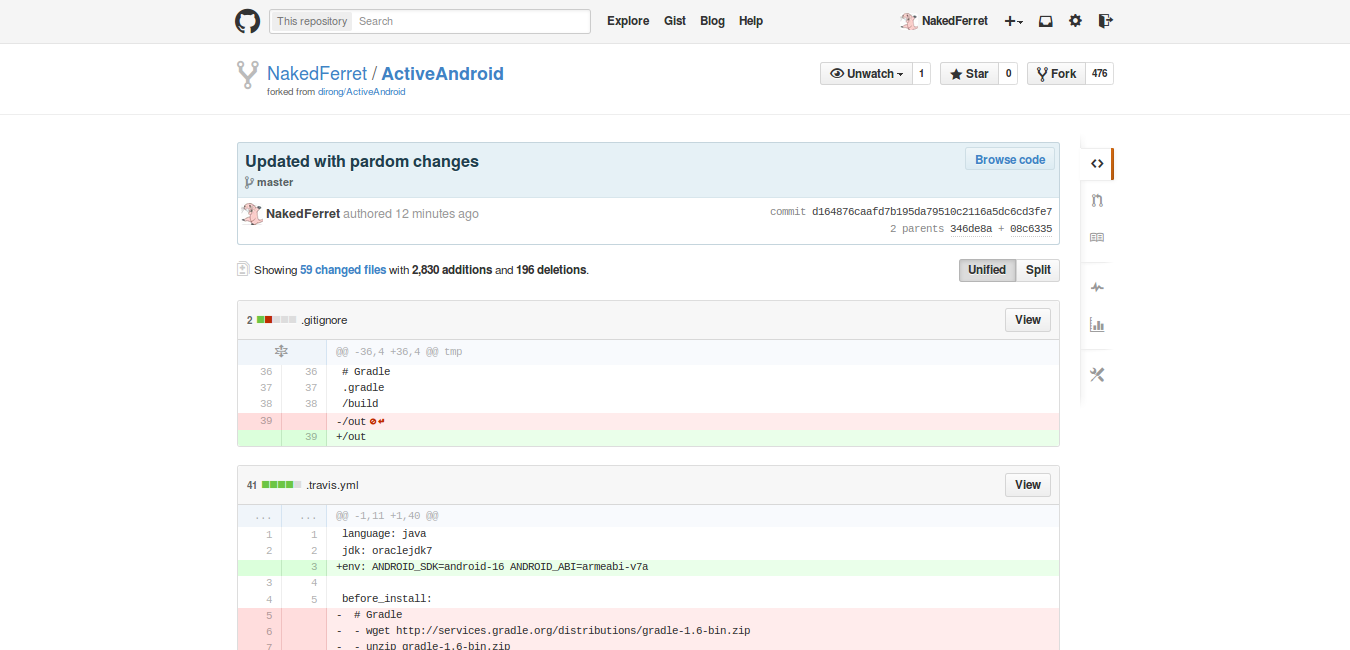
On the other hand, rebasing will make a separate commit for every conflict that comes up. That is to say, if your changes conflict with 3 different commits from upstream, there will be 3 commit on top of the upstream commits with your changes. See below
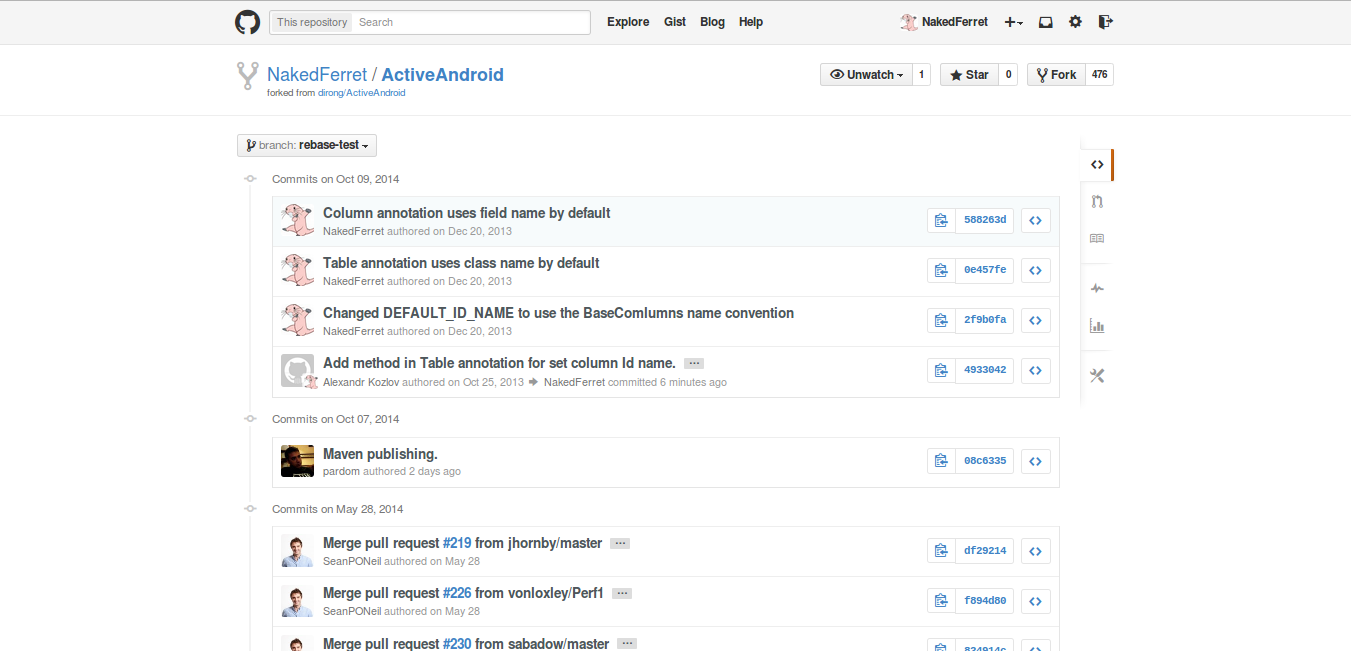
Both processes will leave you with the same result. Only the histories will differ. Hence the matter of preference. The other difference worth mentioning is that rebasing is a bit more interactive.
First, rewinding head to replay your work on top of it...
Applying: Add method in Table annotation for set column Id name.
Using index info to reconstruct a base tree...
Falling back to patching base and 3-way merge...
Auto-merging tests/src/com/activeandroid/test/query/FromTest.java
Auto-merging tests/src/com/activeandroid/test/MockModel.java
CONFLICT (content): Merge conflict in tests/src/com/activeandroid/test/MockModel.java
Auto-merging src/com/activeandroid/util/SQLiteUtils.java
CONFLICT (content): Merge conflict in src/com/activeandroid/util/SQLiteUtils.java
Auto-merging src/com/activeandroid/TableInfo.java
CONFLICT (content): Merge conflict in src/com/activeandroid/TableInfo.java
Auto-merging src/com/activeandroid/Model.java
CONFLICT (content): Merge conflict in src/com/activeandroid/Model.java
Failed to merge in the changes.
Patch failed at 0001 Add method in Table annotation for set column Id name.

When you have resolved this problem run "git rebase --continue".
If you would prefer to skip this patch, instead run "git rebase --skip".
To check out the original branch and stop rebasing run "git rebase --abort".
For each conflict you must either resolve or skip the conflict ( although I’m not sure whether skipping will keep the local or upstream changes )
$ git rebase upstream/master
$ # then for each conflict
$ nano source.c         # resolve the conflict
$ git rebase --continue # and continue the rebase
Hope that helps!
Recent Blog Posts
- 14 Jun 2026 Almost realtime deploy logs in my SaaS
- 08 Jun 2026 The long list of bad decisions I made for my new SaaS
- 13 Apr 2026 Your intuition of LLM token usage might be wrong
- 11 Feb 2026 Locust Load Testing and Markov Chains
- 20 Jan 2026 I love the old man minimap in VS Code
- 03 Jan 2026 On Resurrecting a 12 year old blog
- 09 Oct 2014 Updating a forked Git repo
- 06 Oct 2014 ADB access to remote server from local usb
- 30 Mar 2014 Bug Progress: Day 2
- 27 Mar 2014 Building the Emulator