I love the old man minimap in VS Code
If you don’t use the minimap in VS code you probably turned it off a while ago (like me). I thought it was small and useless unless your code has a very distinct structure.
It’s kinda like sublime’s minimap:
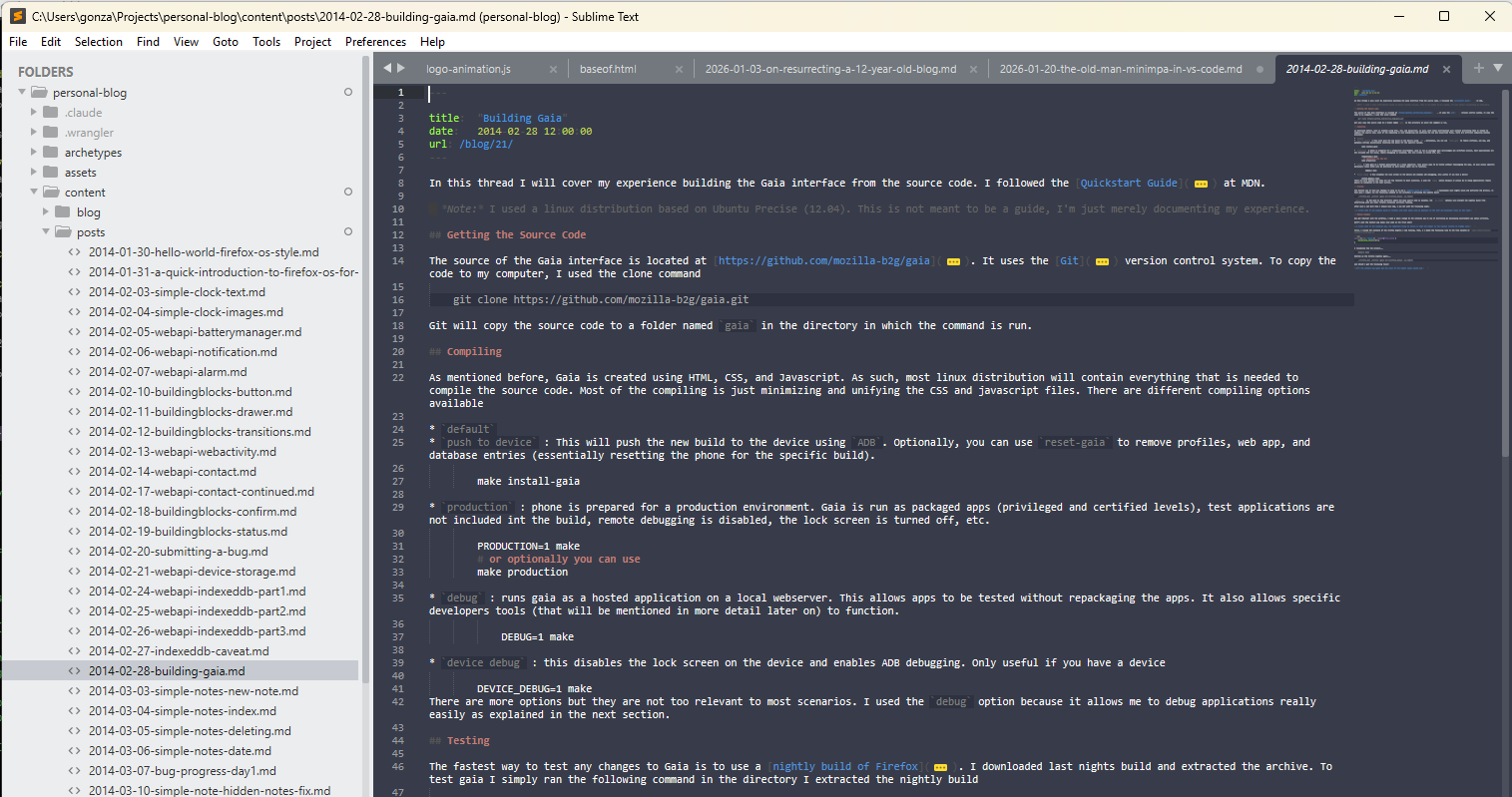
But…
I was recently perusing the options in VS code and noticed you can change the size of the minimap. There’s 3 settings and the last one makes me feel like an old man pulling out a magnifying glass to read a newspaper (almost there practically).
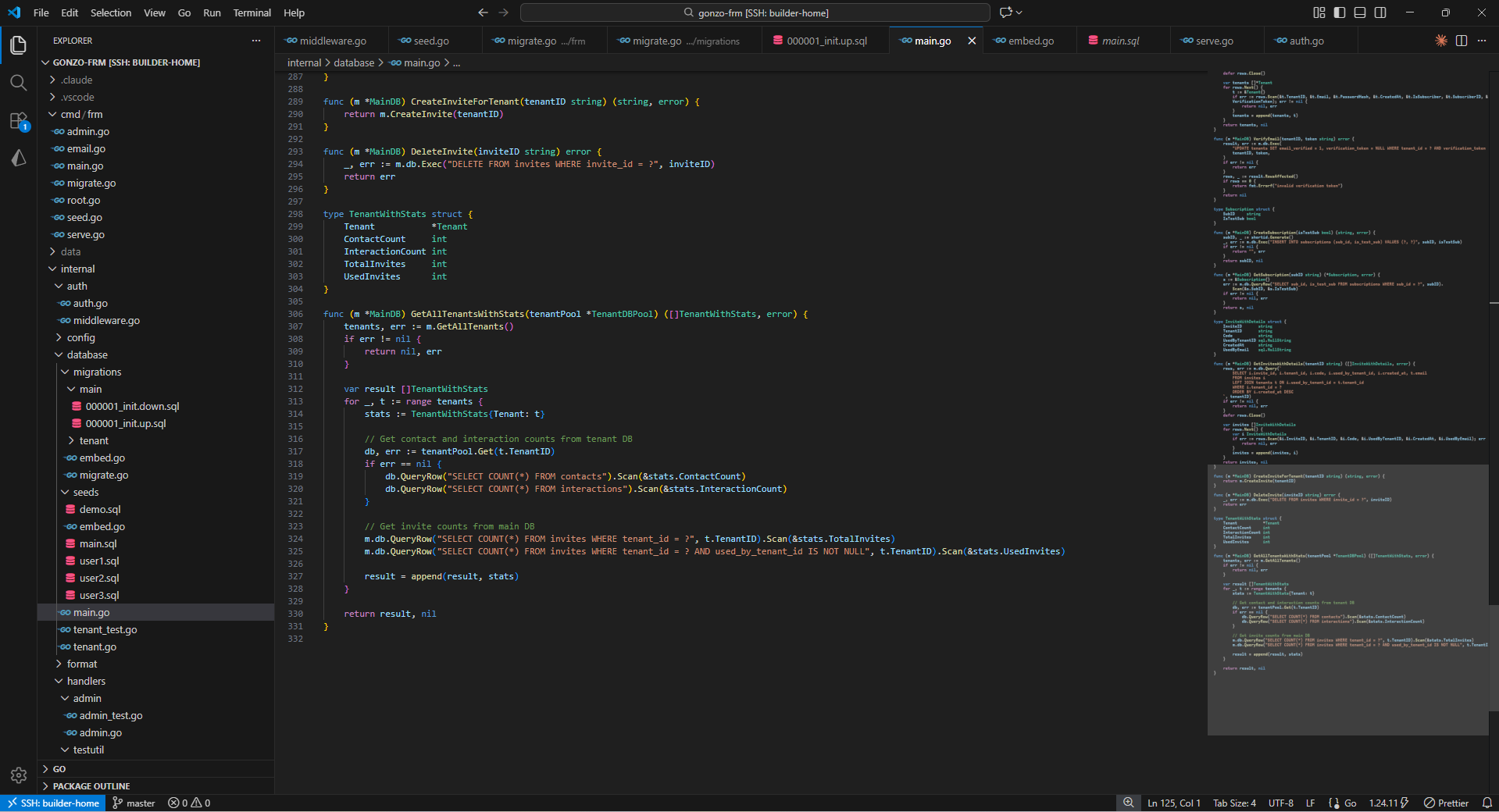
I think sublime’s map is a little more crisp, but this is nice. I can actually see the code structure!
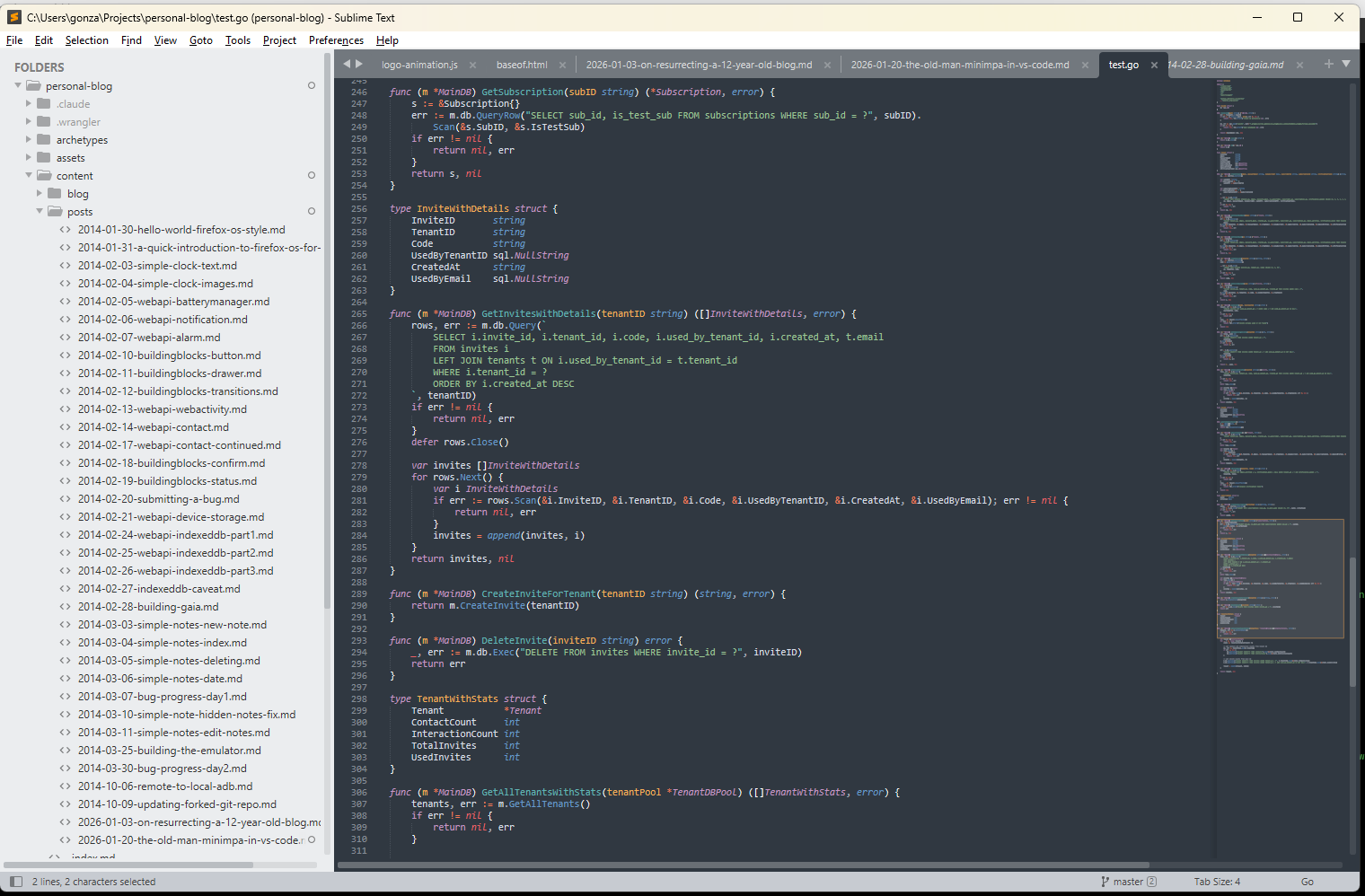
For comparison, see these two screenshots of the same code structure (don’t even read the code):
- A go struct
- A medium size function (20ish)
- 2 small functions (2ish)
- Another go Struct
Sublime’s minimap
VS Codes minimap
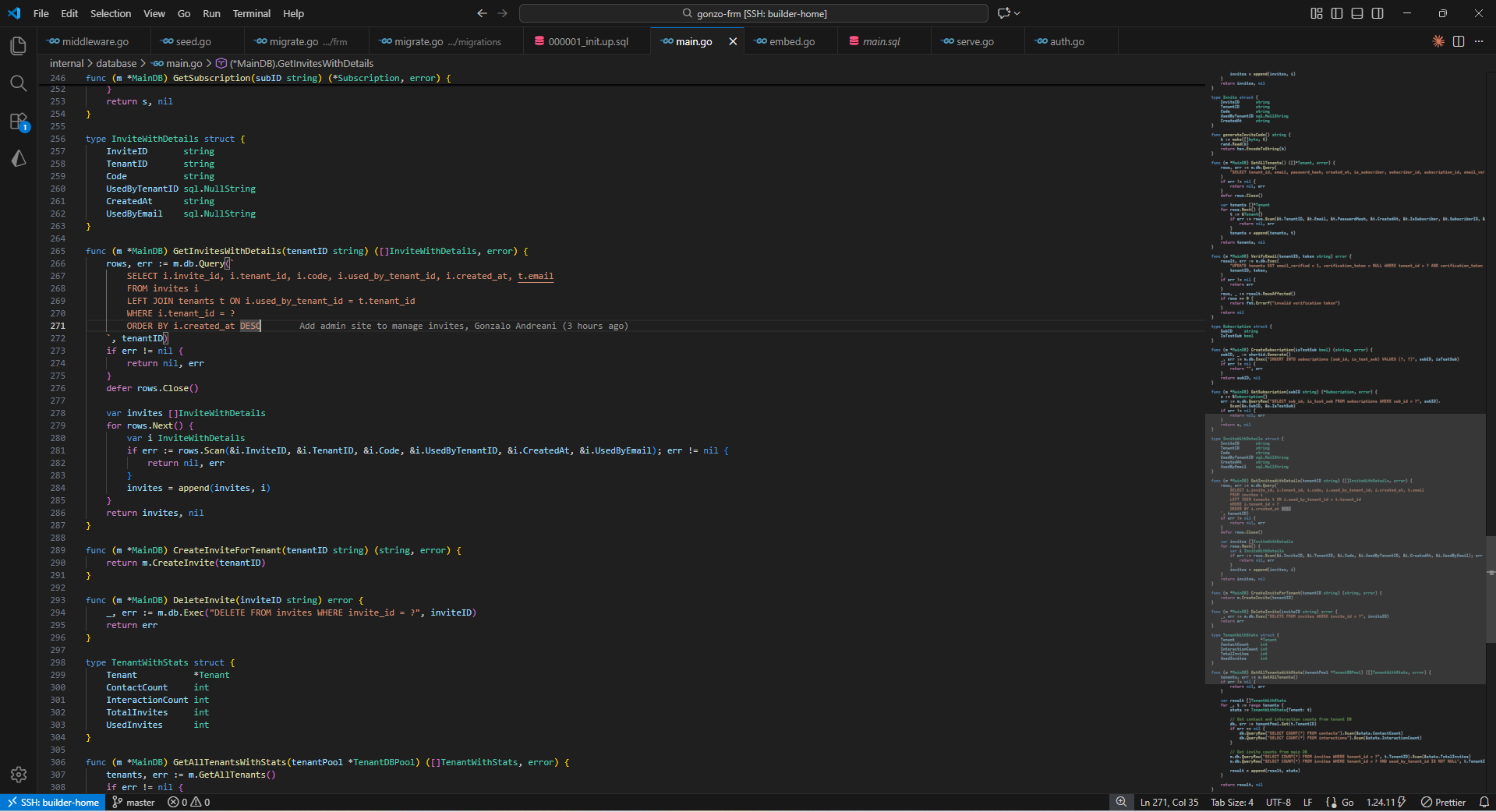
I think I prefer VS Code’s blurrier but bigger representation.
A nice touch to an arguably usable feature
I don’t know if I should “depend” on recognizing code structure. Feels like re-reading a book so much you know what happens by the structure of the paragraphs. In one man projects it’s probably very comfy until someone else comes along and starts adding and –more annoyingly– moving things around. Then I can tell them to get off my porch.
Recent Blog Posts
- 20 Jan 2026 » I love the old man minimap in VS Code
- 03 Jan 2026 » On Resurrecting a 12 year old blog
- 09 Oct 2014 » Updating a forked Git repo
- 06 Oct 2014 » ADB access to remote server from local usb
- 30 Mar 2014 » Bug Progress: Day 2
- 27 Mar 2014 » Building the Emulator
- 11 Mar 2014 » Simple Notes: Edit Notes
- 10 Mar 2014 » Simple Notes: Hidden Notes Fix
- 07 Mar 2014 » Bug Progress: Day 1
- 06 Mar 2014 » Simple Notes: Date