Building the Emulator
In this post I will talk about my experience with building the Firefox OS emulator. It’s a simple process but the documentation is spread out over a couple of pages in the MDN.
Getting the code
The Firefox OS project is based on the Android project and is spread out over many Github repositories. The following commands fetch the code from the servers.
git clone git://github.com/mozilla-b2g/B2G.git
cd B2G
./config.sh emulator // Starts fetching code
The whole project is about 19 GB.
Building
Building requires the correct libraries to be installed in the system. A list can be found here.
Also, it’s important to install the required 32 bit libraries. For a 64-bit debian based system, run the following commands.
sudo dpkg --add-architecture i386
sudo apt-get update
Here are a couple of libraries that I also needed to install to complete the build
- libdbus-glib-1-2
- libgtk2.0-0
I also needed to create the following symlinks
sudo ln -s /usr/lib/i386-linux-gnu/libX11.so.6 /usr/lib/i386-linux-gnu/libX11.so
sudo ln -s /usr/lib/i386-linux-gnu/libGL.so.1 /usr/lib/i386-linux-gnu/libGL.so
Transferring the emulator
I built the emulator in a VPS. I wanted to use the emulator locally however. After a lot of trial and error, I found the relevant files.
./out
./out/host
./out/host/linux-x86
./out/host/linux-x86/bin
./out/host/linux-x86/bin/mksdcard
./out/host/linux-x86/bin/emulator
./out/host/linux-x86/bin/emulator-arm
./out/host/linux-x86/bin/ddms
./out/host/linux-x86/lib
./out/host/linux-x86/lib/libOpenglRender.so
./out/host/linux-x86/lib/libGLES_V2_translator.so
./out/host/linux-x86/lib/lib64GLES_CM_translator.so
./out/host/linux-x86/lib/libicui18n.so
./out/host/linux-x86/lib/libssl.so
./out/host/linux-x86/lib/libEGL_translator.so
./out/host/linux-x86/lib/lib64GLES_V2_translator.so
./out/host/linux-x86/lib/libut_rendercontrol_dec.so
./out/host/linux-x86/lib/libGLES_CM_translator.so
./out/host/linux-x86/lib/libsqlite.so
./out/host/linux-x86/lib/libicuuc.so
./out/host/linux-x86/lib/lib64OpenglRender.so
./out/host/linux-x86/lib/libcrypto.so
./out/host/linux-x86/lib/lib64EGL_translator.so
./out/target
./out/target/product
./out/target/product/generic
./out/target/product/generic/ramdisk.img
./out/target/product/generic/hardware-qemu.ini
./out/target/product/generic/sdcard.img
./out/target/product/generic/userdata.img
./out/target/product/generic/system.img
./.config
./run-emulator.sh
./development
./development/tools
./development/tools/emulator
./development/tools/emulator/skins
./load-config.sh
./prebuilts
./prebuilts/qemu-kernel
./prebuilts/qemu-kernel/arm
./prebuilts/qemu-kernel/arm/kernel-qemu-armv7
You can probably shrink this list down a bit more, but as it stands, it’s only about a quarter of a gig without sdcard.img. The sdcard.img does not have to get copied because it is created by the run-emulator script and the mksdcard program.
A quick way to copy all the files from the build server to the local computer is using rsync. Note that the list of files is contained in files.txt
rsync -z --files-from=../files.txt ssh.andreani.in:/home/gonzalo/B2G/ ../b2g-test/
Using the emulator
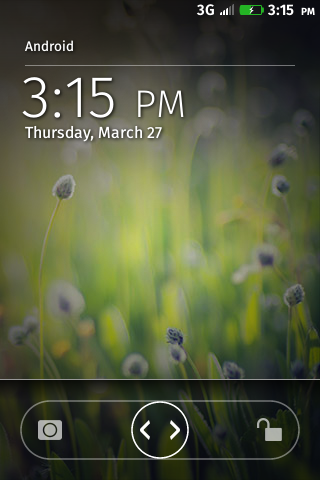
The emulator works much like the simulator except that it does not have as many bells and whistles and it is dog slow. The home key maps to the home button on the device and F7 maps to the lock button on the device.
Recent Blog Posts
- 20 Jan 2026 » I love the old man minimap in VS Code
- 03 Jan 2026 » On Resurrecting a 12 year old blog
- 09 Oct 2014 » Updating a forked Git repo
- 06 Oct 2014 » ADB access to remote server from local usb
- 30 Mar 2014 » Bug Progress: Day 2
- 27 Mar 2014 » Building the Emulator
- 11 Mar 2014 » Simple Notes: Edit Notes
- 10 Mar 2014 » Simple Notes: Hidden Notes Fix
- 07 Mar 2014 » Bug Progress: Day 1
- 06 Mar 2014 » Simple Notes: Date