Simple Notes: Date
This is the final day in which I worked on the Simple Notes application. I implemented a due date for each note.
Selecting a date
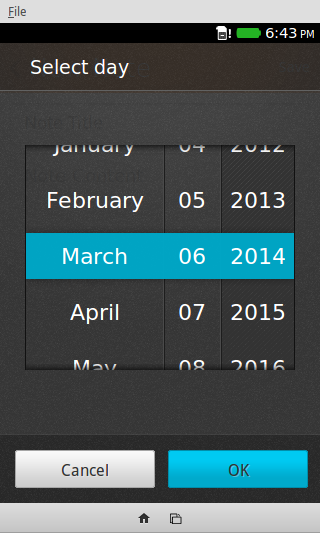
Firefox OS comes with a native date picker optimized for mobile layouts. In order to call forth this date picker, one has to simple add the following input element to a form.
<input type='date'>
And said Date picker looks like this
Ugliness
There was a glaring issue with this approach. In order to bring forth the date picker, the user needed to press this ugly input box
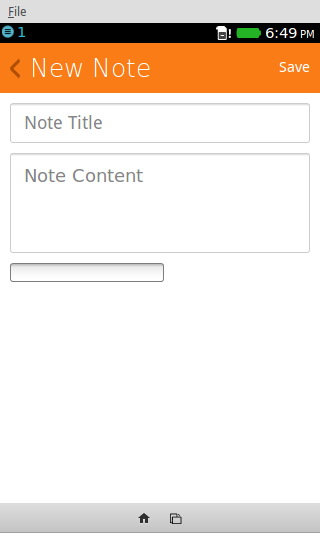
To fix this issue, I wrapped the <input> in a div that had the following CSS rules applied
div#hides-date {
    width: 0;
    height: 0;
    overflow: hidden;
    float: left;
}
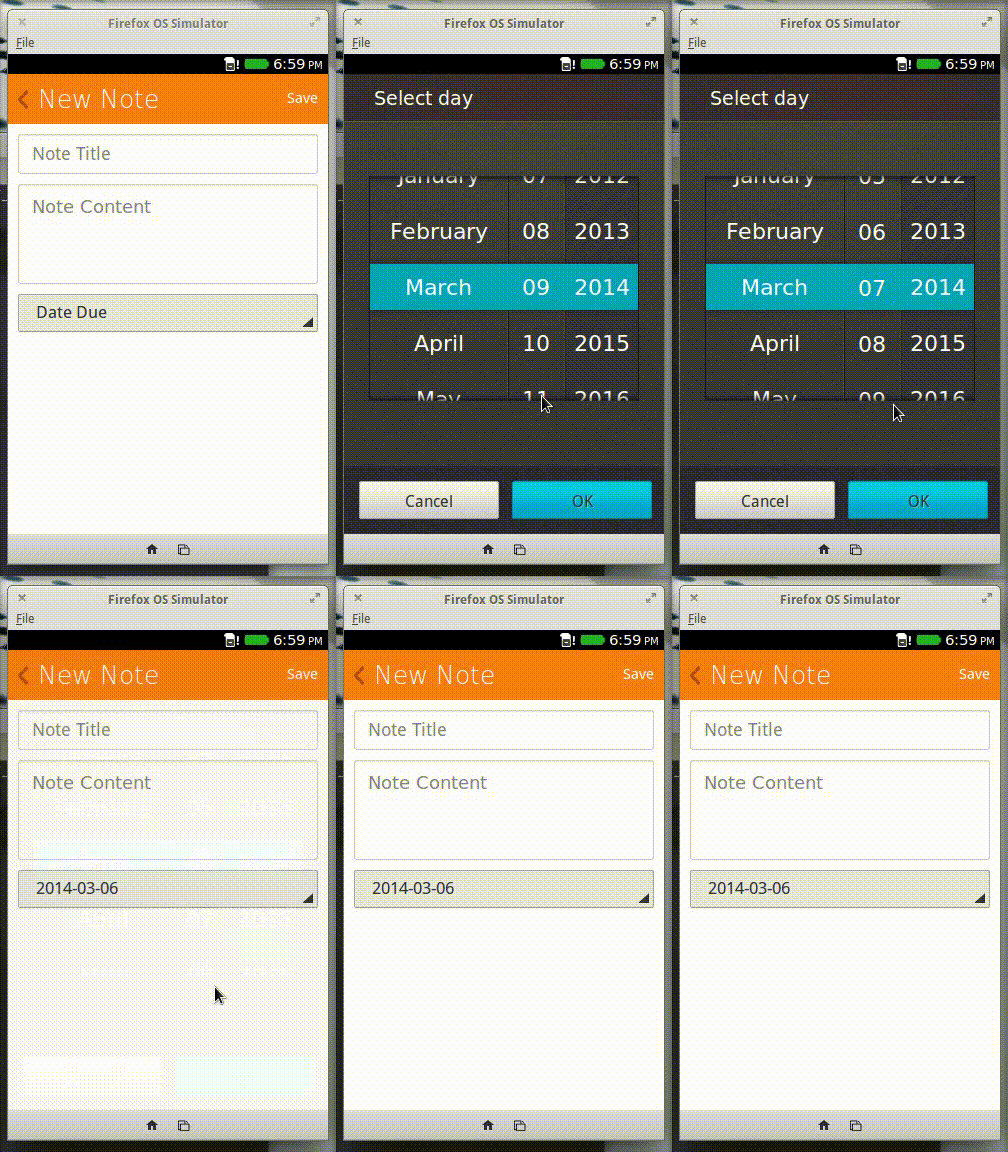
This hides the input, and takes it out of the “flow” (i.e. other elements on the page ignore the div when aligning themselves). Next, I added a button. When the button is clicked, the hidden date input is focused. This causes the date picker to pop up, and this effectively makes the user think that the button controls the date picker. I also added an event listener to the input element that listened for input changes. This event gets fired when the user chooses a date. When the event is received I updated the text of the button to reflect the date chosen.
To accomplish all of that I used the following snippet
// dateButton == the button to replace the date input element
// datePicker == the date input element
dateButton.addEventListener('click', function() {
  datePicker.focus();
  datePicker.addEventListener('input', function() {
	dateButton.innerHTML = this.value;
  });
});
This is the result
Show me the date
Displaying the date to the user required only 3 minor changes
- Add a Date field to the Note object IndexedDB stores
- Add a Date field to the template
- Update the modified code
Adding the date field, is trivial. Adding the date field to the template was pretty simple, it only required adding the following aside
<aside class="pack-end">
  <p> </p>
  <p class="note-date"></p>
</aside>
In case you’re curious, the CSS rules that style this structure come from lists.css. Then the following snippets of code where added throughout the code base
function addNoteToList(note) {
	// ...
    noteListItem.querySelector('.note-date').innerHTML = note.date;
	// ...
}

// form == object that represents the new note <form>
function saveNote(form) {
// ...
var newNote = new Note(form.getTitle(), form.getContent(), form.getDate());
// ...
}
Surprisingly, that is all the spots that needed to be changed. My code turned out to be more modular than I anticipated :)
Demo
Recent Blog Posts
- 20 Jan 2026 » I love the old man minimap in VS Code
- 03 Jan 2026 » On Resurrecting a 12 year old blog
- 09 Oct 2014 » Updating a forked Git repo
- 06 Oct 2014 » ADB access to remote server from local usb
- 30 Mar 2014 » Bug Progress: Day 2
- 27 Mar 2014 » Building the Emulator
- 11 Mar 2014 » Simple Notes: Edit Notes
- 10 Mar 2014 » Simple Notes: Hidden Notes Fix
- 07 Mar 2014 » Bug Progress: Day 1
- 06 Mar 2014 » Simple Notes: Date